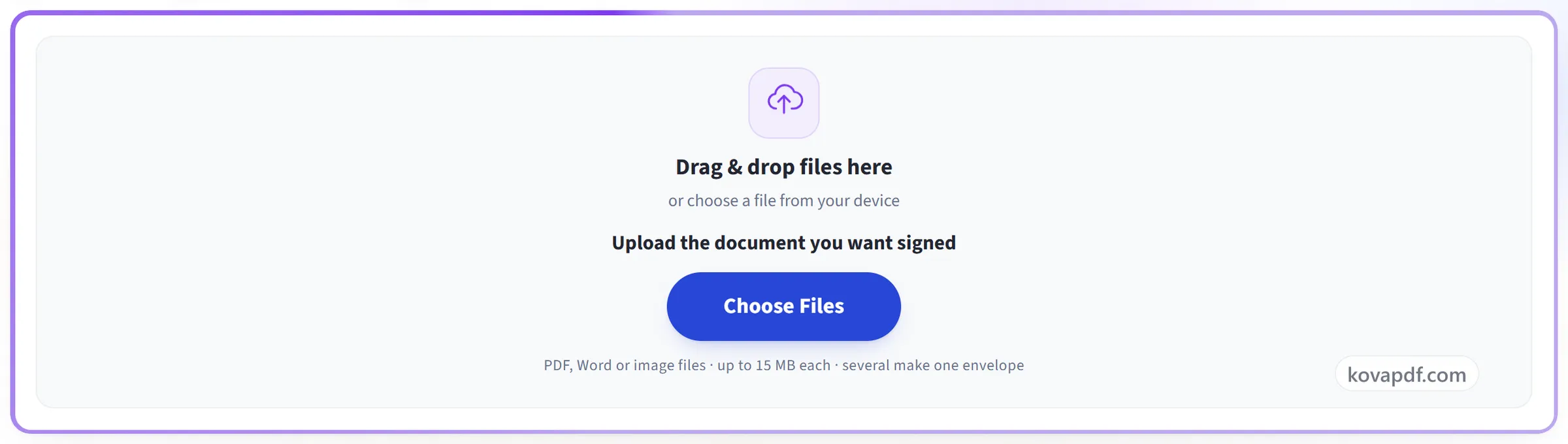
Drag the .pdf onto the panel or click it to pick one; you sign in only when you send. A Word file or a photo works too. It is turned into a PDF first.
Formstack Sign alternative
Drop your PDFs here
PDFs · up to 50 MB · up to 200 pages · up to 30 files
PDF, Word or image files · up to 15 MB each · several make one envelope
On your computer? Get the Windows appOn your phone? Get the phone app
Choose the final PDF and prepare its signature fields before sending it to your recipients. Upload the document you want signed.
- Free to use
- Works on any device
- Nothing to install
- One or many signers
- In order or all at once
- See who opened and signed
- Certificate of completion
Why send it for signature instead of emailing the PDF?
What Formstack Sign says
Formstack Sign's own pages, in three facts
Prices checked: October 2026.
Delivery
Formstack Sign describes delivering requests by email or SMS.
Source: formstack.com/products/sign, E-Signature Software product page
Fields and participants
It supports multiple participants, signing order and information fields such as dates and checkboxes.
Source: formstack.com/products/sign, E-Signature Software product page
Connected documents
Its page connects signing with form collection, document generation and an open API.
Source: formstack.com/products/sign, E-Signature Software product page
Step by step
Request Signatures: a visual walkthrough
One or many signers, in order or all at once, and a signed copy with a certificate of completion for everyone.
Type each signer's name and email, and choose whether they sign in order. Then pick a signer and click Signature, Initials, Name, Date signed, Text or Checkbox to put that field on the page, and drag it into place. Every signer needs at least one signature field.
Add a message, choose when the link expires and whether to send reminders, and send. Each signer gets a private link by email; you can see who has opened and signed it under Sent for signature, and everyone receives the signed PDF when the last person signs.
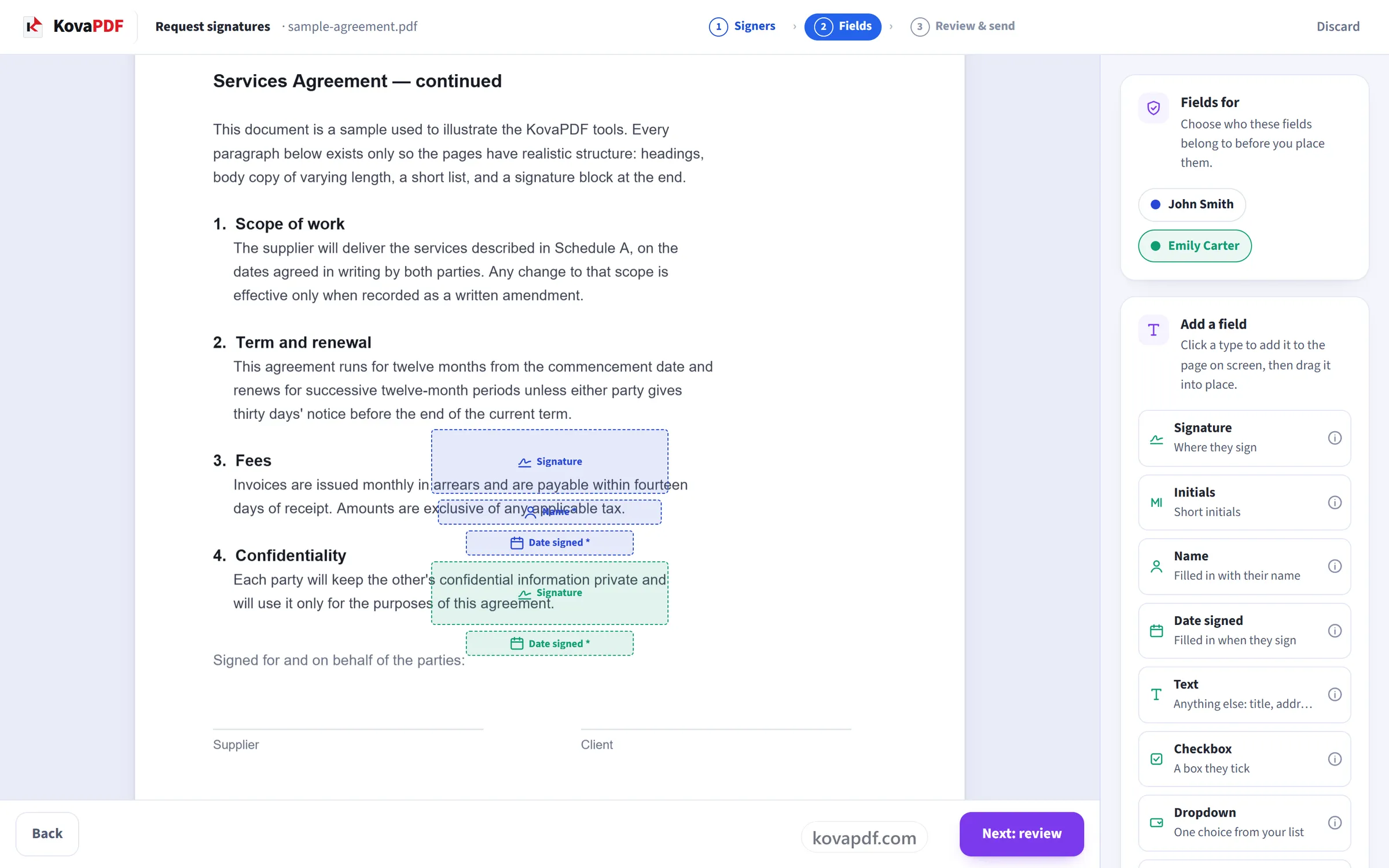
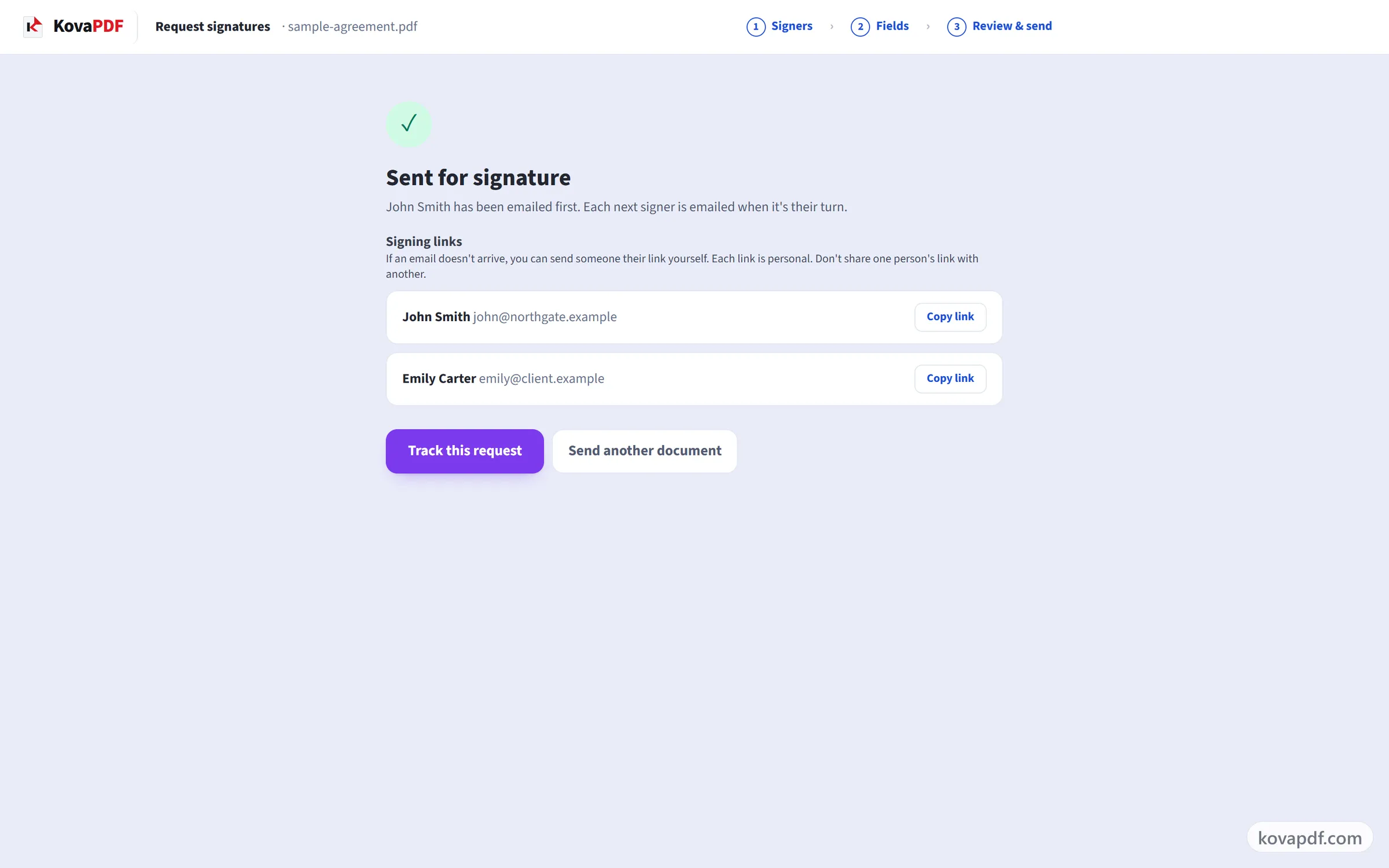
Everything Request Signatures can do
Send a document to other people to sign, free, with no account needed for them, and get back a signed copy sealed with a trusted timestamp and a certificate of completion.
Who signs, and in what order
- Several recipients, one after another or all at once
- Roles: signer, approver, witness, and people who only get a copy
- A signer can hand their turn to someone else, with the reason recorded
- Host a signer in person on your own device
- Signers need no account and install nothing
What they fill in
- Signature, initials, name, date, text and checkbox fields
- Dropdown lists and radio buttons, with the choices you write
- Ask a signer to attach a file, hashed into the certificate of completion
- Calculated fields worked out from the numbers they type
- Show a field only when an earlier answer calls for it
- Place fields anywhere, for any recipient, on any page
- Send a PDF, or a Word file or photo that is converted first
- Anyone who cannot sign can decline, with a reason
Staying in control
- Access code per recipient
- Automatic and manual reminders
- An expiry date, after which the link stops working
- See who opened and who signed, and cancel or delete at any time
- Your own name, logo and colour on the signing page and the emails
Proof at the end
- Certificate of completion with times, IP addresses and devices
- The finished file is sealed with a trusted timestamp, so later changes show
- Everyone gets the signed copy
- Check the result yourself with our free Verify tool
Compare the work you need to do
| Question | KovaPDF | Formstack Sign |
|---|---|---|
| Delivery channel | KovaPDFPrivate signing links delivered by email. | Formstack SignEmail or SMS delivery. |
| Participants | KovaPDFAssign recipient roles, fields and signing order. | Formstack SignMultiple participants, signing order and information fields. |
| Before the PDF | KovaPDFStart with the document you provide. | Formstack SignConnect forms and document generation to signing. |
Prices checked: October 2026.
The honest answer
Which one should you use?
 Where KovaPDF is better
- The PDF already contains the right information. Start from that approved file without connecting a form or a document generator.
- Email is the right channel. Recipients get private email links and never need a KovaPDF account.
- You want to prepare a request before signing in. Add the document and fields first. Use a free sender account when sending.
Choose Formstack Sign if…
- Recipients need text delivery. Formstack Sign advertises SMS as well as email.
- Forms generate the agreement. Its connected forms and document products support that larger process.
- Your systems initiate signing automatically. Formstack Sign offers an open API for custom workflows.
Prices checked: October 2026.
Look upstream from the signature
A Formstack Sign alternative may need to replace more than a sending screen. The agreement might start as answers in a form, become a generated document and then enter a signing sequence. A manually uploaded PDF replaces only the final handoff.
Formstack's product page describes that wider route. It connects signing with its forms and document generation products, plus an open API. It also advertises both email and SMS delivery. Check these dependencies before choosing a replacement.
An approved document with no data connection
At fictional Brook Lantern Events, Owen has already agreed the venue terms with a client. The PDF is final. He can upload it above, add the venue contact and client, choose their signing order and assign the relevant fields. Sending needs his free KovaPDF account. Neither recipient needs one.
Owen should inspect each person's fields before sending. An internal reviewer and the client may have different roles. The request should reflect who is accepting the agreement, rather than sending every field to everyone.
Delivery can decide the choice
If a recipient reliably uses email, a private email link is a practical route. If your established process depends on text delivery, treat that as a requirement. Formstack Sign advertises it; this comparison should not suggest that email and SMS are interchangeable for every audience.
Use Request Signatures to prepare the ordinary email flow. Send PDF for multiple signatures explains how to think about several participants. If your document is repeated, compare bulk sending with the current automation before changing it.
Keep the signed PDF and completion certificate with the original business record. The guide to checking signed PDFs explains which parts of that evidence can be checked from the file itself. A successful signature request does not confirm that the source data used to generate the document was correct.
Prices checked: October 2026.
Questions
Formstack Sign alternative: common questions
Does KovaPDF replace Formstack's document generation?
This page starts with a file you provide. It does not reproduce a connected form to document generation workflow.
Does Formstack Sign support SMS?
Its official product page describes delivery and automated reminders by text as well as email.
Can different people sign in order here?
Yes. Set the order and assign each person's fields while preparing the KovaPDF request.
When do I need a KovaPDF account?
You need a free account to send. Prepare the PDF request first; signers never need accounts.
What should I test before moving a generated agreement?
Check the source data, document output, recipient roles, delivery channel and where completion is recorded. A manual upload replaces only part of that chain.
Prices checked: October 2026.
Keep going
Related tools and pages
Request SignaturesSend a PDF to others to signSend a PDF for signatureUpload, add signers, place fields, send: the three steps, with the tool on top.How to read a signature check result: intact, who signed, and trustedA signature check result has several lines because each one means something different. What every line tells you, and which one decides whether to accept.
Formstack Sign is a trademark of its owner. KovaPDF is not connected with, or endorsed by, Formstack Sign. The facts above come from Formstack Sign's own public pages. This page compares products; it is not legal advice.